TL;DR
The best indoor security camera for an entryway should capture approaching faces clearly, send dependable alerts, and match your privacy and storage preferences. Compare placement, lighting, detection, power, and recording terms alongside resolution; a 2K label alone cannot guarantee an identifiable face. Ring Indoor Cam, Tapo 2K Pan Tilt, and Arlo Essential Indoor Pan Tilt Zoom are options to compare, but verify each model’s current specifications and plan requirements before choosing.
A camera can show you a busy foyer in crisp detail and still miss the face you wanted to see. The angle, backlight, distance, and alert settings all shape what your entryway footage is actually useful for.

Get home office essentials delivered free with Prime
- Fast, free delivery on millions of items
- Prime Video, Amazon Music and more included
- Member-only deals all year
This guide explains how to choose the best indoor security camera for an entryway, including what to check in the Ring Indoor Cam, Tapo 2K Pan Tilt, and Arlo Essential Indoor Pan Tilt Zoom options. You’ll also get practical placement advice, a comparison table, and a checklist for privacy, storage, and alerts.
Product names and features can change, and a listing’s presence does not guarantee stock or identical terms everywhere. Treat model details as a starting point: check the manufacturer’s current specifications, recording plans, and compatibility for your region before buying. Security cameras can help you review activity, but they cannot prevent every incident; video quality and alerts vary with the home and setup.
Frame the doorway so a visitor’s face appears near the center at the distance they naturally pause; a wide view can leave edge faces small.
Compare Ring Indoor Cam, Tapo 2K Pan Tilt, and Arlo Essential Indoor Pan Tilt Zoom using current model specifications, privacy controls, and storage terms.
Test the view in daylight and at night; glass, bright windows, and infrared reflections can obscure footage.
Tune person detection, activity zones, and sensitivity to reduce irrelevant alerts, while treating notifications as prompts rather than proof.
Check recording retention, subscription needs, Wi-Fi band, power access, microphone controls, and account security before mounting.
Choose a camera that captures the face at your door
The best indoor security camera for an entryway gives you a useful view of a visitor’s face at the distance and angle where they approach. Resolution matters, but so do lens quality, lighting, processing, and placement; a higher number on the box cannot rescue a face that appears as a tiny silhouette.
Think of the camera like a doorway portrait, not a panoramic landscape. A very wide view can cover the foyer, but a person standing at the far edge may look small or distorted. That creates a tradeoff: a broad frame helps you see where someone moved, while a tighter frame spends more of the image on the face you may need to recognize. For example, if your front door opens beside a coat rack and the camera sits in the opposite corner, you might see the whole hall yet struggle to distinguish a visitor from several feet away.
Compare the likely distance from lens to face with sample footage taken at a similar distance. If a delivery visitor pauses at the threshold, ask whether the image shows facial features clearly in both daylight and dim light. HDR can help when bright outdoor light sits behind a visitor by balancing bright and dark areas, but it cannot recover detail if the face is too small, out of focus, or pointed away from the lens. A camera may also process backlit scenes differently, so an advertised feature is a reason to test, not a guarantee.
Do not choose by resolution alone. A 2K camera may give you more image detail than a 1080p model in some conditions, yet the gain matters only if the lens and framing put enough pixels on the face. A sharply framed 1080p view can be more useful than a distant 2K view because the visitor occupies more of the image. The practical goal is simple: place the lens where people naturally look as they enter, and test the result from a visitor’s height.
Products Worth Considering

HP Smart Tank 7603 All-in-One Ink Tank Printer

FLEXISPOT 40-Inch Electric Standing Desk Converter with Keyboard Tray

Samsung 34-Inch Odyssey G5 Curved Ultra WQHD Gaming Monitor, 180Hz
As an affiliate, we earn on qualifying purchases.
Compare these camera options by the features that matter
For an entryway, compare each camera’s resolution, connection, privacy controls, and recording terms against the layout of your home. Those details affect everyday use: a camera that cannot reach your Wi-Fi may miss uploads, and one whose recordings require a plan may not meet your need to review an event later. The product names below come from the supplied product brief; confirm current model versions and specifications because listings and capabilities can vary by region or change over time.
| Option | Brief-listed details | What to check for an entryway |
|---|---|---|
| Ring Indoor Cam, 1080p HD | Plug-in; 1080p HD; manual privacy cover; flexible swivel mount | Whether the particular listing is the intended model, plus the current recording plan and mount adjustment |
| Tapo 2K Pan Tilt Security Camera | 2K HD; Wi-Fi 2.4 GHz; pan-and-tilt model | Local or cloud storage, privacy behavior, and whether pan/tilt can frame the doorway reliably |
| Ring Indoor Cam, newest-model listing | 1080p HD; Wi-Fi 2.4 GHz | Exact generation, privacy features, and compatibility with your Ring setup |
| Arlo Essential Indoor Pan Tilt Zoom | Wired; dual-band Wi-Fi; on-demand privacy and secure cloud listed | Resolution details, storage terms, and which features require a plan |
The brief names the Ring Indoor Cam 1080p product more than once, including a current alternative and a newest-model listing. That overlap makes it especially useful to verify the exact model identifier and feature list before ordering. Two listings with nearly identical names could refer to different generations, bundles, or regional versions; assuming they are interchangeable can lead to a mismatch in privacy controls, mounts, or recording terms. Do not assume similarly titled pages describe distinct generations or identical bundles.
Consider a household that already uses Ring notifications and wants a simple plug-in camera: ecosystem fit and a swivel mount may matter more than adding pan-and-tilt. A familiar app can reduce setup friction, but only if the exact camera exposes the alerts and recording features that household expects. Another household might prioritize a 2K option or camera movement, but it should check the Tapo model’s storage and privacy controls rather than infer them from the resolution. Pan-and-tilt can help cover more than one direction, but a camera turned away from the door may not capture an arriving face at the right moment. Arlo’s listed on-demand privacy is worth checking if you want a way to pause viewing; confirm what pausing disables and whether useful recording features depend on a plan. Specs are a shortlist, not a verdict; your doorway, network, and retention needs decide the fit.
Place the camera so faces stay clear and private
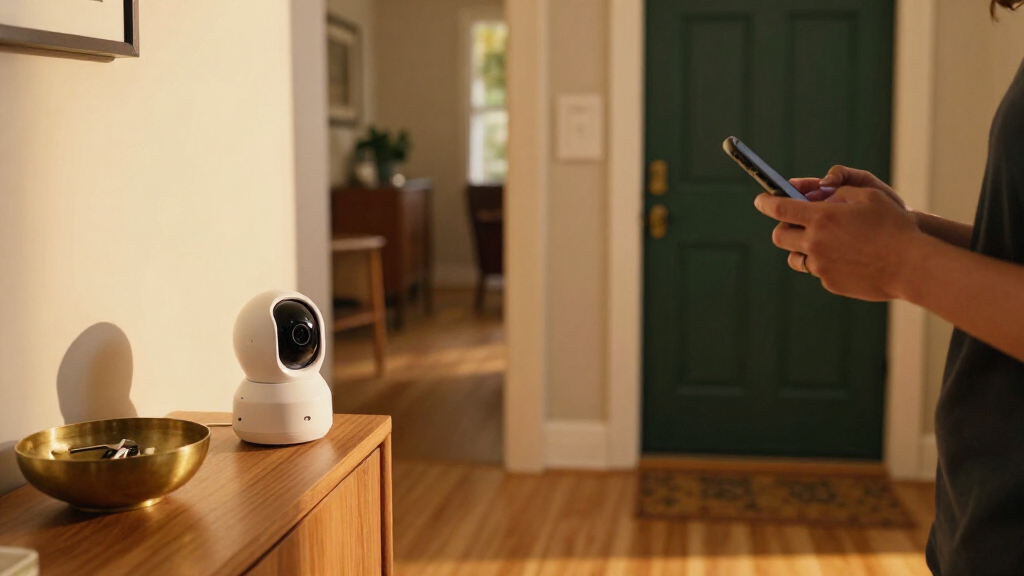
Mount the camera high enough to avoid casual interference, then angle it toward the path where visitors approach so it can capture faces clearly. Aim for the doorway and immediate entry area rather than the widest possible view of your home. A focused frame can be more useful and less intrusive: it puts more image area on the interaction you want to review and reduces how much unrelated household activity is recorded.
Start with a temporary placement and inspect the view from a visitor’s height. If the camera points down from a high shelf, you may record the top of someone’s head instead of their face; if it sits too low, a child or curious pet could bump it. Height is therefore a compromise between physical access and a useful viewing angle. In a narrow apartment hall, a shelf beside the door may frame arrivals better than a corner mount across the room, even if the corner seems to offer a broader view.
Avoid pointing directly at a bright window, glass door, mirror, or reflective surface. Daylight through glass can produce reflections, while infrared night vision may bounce off the glass and wash out the scene at night. That can make footage look as though the camera is working while concealing the visitor you hoped to see. An indoor camera generally works more reliably when it has an unobstructed view of the interior.
- Mark the normal approach path. Watch where visitors pause, turn, or set down a parcel. Those are the moments when a face may be most visible.
- Frame the face zone. Adjust the angle so a person near the threshold appears near the middle of the image. Centering helps avoid edge distortion and gives the camera more image detail to work with.
- Check light at two times. Review the view in daylight and after dark, especially with hallway lights off. A view that looks balanced at noon may turn into a silhouette or glare at night.
- Trim the frame. Use activity zones or physical repositioning to avoid unnecessary views into private rooms. A narrower view may miss some peripheral movement, but it can make alerts more relevant and limit incidental recording.
For example, a camera aimed at an open-plan foyer might catch both the front door and a living-room sofa. A small swivel can keep the face area in view while excluding the sofa. In shared housing, consider other residents’ privacy and check lease, building, and local rules before recording a shared area.
Get alerts that point to people, not every shadow
Useful entryway alerts tell you about likely arrivals without buzzing your phone for every flicker of light. Person detection, activity zones, and adjustable sensitivity can reduce notifications caused by shifting sun, pets, or activity beyond the door, though no detection system catches every event or identifies every person correctly. The goal is not the largest number of detections; it is an alert pattern you can trust enough to check when it matters.
Imagine late afternoon sunlight sliding across a tiled floor. Basic motion detection may treat that bright stripe as movement and send repeated notices; a person-detection feature may filter some non-human activity, while a zone that excludes the window can cut more noise. Filtering has a tradeoff: a narrower zone or higher detection threshold can reduce nuisance alerts but may also miss someone approaching along the edge of the frame. The exact result depends on the camera, software, and setup.
Begin with a zone that covers the threshold and the first few feet inside. Set sensitivity conservatively, then observe notifications for a few days. If a child walking through the hall triggers a useful event, keep that area; if passing traffic outside the window causes alerts, narrow the zone or adjust the camera angle. Change one setting at a time where possible so you can tell whether it reduced noise without hiding a real arrival.
Alerts are a prompt to check a camera, not proof of a security event. A delivery person may step in and out before a notification reaches you, and a weak Wi-Fi signal can delay an upload. Test the camera from your phone while standing in the entryway, and check whether the alert opens a live view or a recorded clip. That difference affects what you can learn: live video shows what is happening now if you can connect quickly, while a saved clip lets you review an event after it ends. Dependable alerts come from tuning the view and settings to your household, not merely turning every notification on.
Choose storage and power before you commit to a setup
Your recording choice determines how much history you can review and what happens when the internet or power changes. Check whether a model offers cloud storage, local storage, or both, how long clips stay available, and whether event history or advanced detection needs a paid plan. A camera that sends a live view can still leave you without a replayable record; that distinction matters if you expect to check what happened while you were away. Live viewing without a subscription does not automatically mean you can replay old footage.
Cloud recording can make clips accessible away from home and may keep a copy outside the camera, but plan terms may govern retention, event limits, and added features. If the internet connection is down, remote access or uploads may stop, depending on the model. Local storage, such as a microSD card where supported, can avoid some recurring service costs and may keep footage within the home, but it also relies on the device and card remaining available. You need to check card capacity, overwrite behavior, and how footage is accessed. Some models offer a mix, which can provide flexibility but may still put certain features behind a subscription. Do not assume that a listed camera supports a storage method unless its current product documentation says so.
Power changes placement and recording options. A plug-in camera is often straightforward to install near an outlet and may suit ongoing recording, while a battery model gives you more placement freedom but needs recharging and may be less suited to continuous recording. The choice affects upkeep: a convenient outlet can make always-on use practical, while a battery setup trades a cleaner placement for charging checks and potential gaps when the camera is offline. For an entryway, a cable across a walkway can become a daily nuisance, so map the outlet before choosing a mount.
Take a household with a side table near the foyer and a reliable outlet: a wired camera might be easy to keep running, especially if the goal is continuous availability. In a rental where drilling is limited and the nearest outlet sits across a hallway, flexible placement may matter more, though charging becomes part of upkeep and a cable may create a trip hazard. Confirm the exact model’s supported recording modes and plan terms; capabilities can vary by model and region.
Use privacy controls that match the way you live
A camera belongs in the entryway only if you can control when it sees and records that space. Check for a physical lens cover, camera-off mode, recording schedule, microphone controls, and account security. Each control solves a different problem: a shutter can visibly block the lens, a schedule can automate when recording pauses, and microphone controls affect audio separately. A shutter can give you a visible, tangible pause; an app setting may disable only some functions, so verify what it actually turns off.
For example, you might want the camera active while the home is empty but paused when family members return. A schedule or privacy mode can help, but check whether it disables the lens, microphone, recording, or just alerts. If it only stops notifications, footage may still be recorded. If two adults share an account, review who can view live footage and who receives clips; convenient shared access also means more people can expose or retain recordings, so limit permissions to those who need them.
Protect the account with a unique password and multifactor authentication where available. Keep the camera’s firmware updated, review account access and sharing settings, and check the manufacturer’s privacy practices and recording retention. These steps reduce avoidable exposure, but they cannot remove every risk tied to connected devices or cloud services. Understanding where clips are stored and how long they remain available helps you decide whether the convenience of remote access is worth the amount of household activity retained.
Privacy check: Before you mount the camera, decide which part of the home it must see, who can view recordings, how long clips should remain available, and how you will pause the camera when needed. These choices set practical limits on what gets captured and who can access it.
In an apartment or shared home, an interior camera may capture a roommate, guest, or worker entering the space. Keep the frame limited, communicate clearly with other residents, and check local rules and building policies. A camera can provide helpful context, but it should not silently turn a shared hallway into a recording zone.
Make an indoor camera work with your smart-home setup
Smart-home compatibility is useful when it gives you the functions you will actually use: live video on a screen, a notification on your phone, or a routine that changes camera behavior. Check support for your preferred platform and the specific features exposed through it; a device may connect while still withholding video or advanced controls from that platform. That distinction matters because a logo or basic device connection does not tell you whether the action you want—such as opening a live feed—will work.
For instance, a household might want a voice assistant to show the entryway feed when someone rings the doorbell. A camera that only supports basic on/off controls in that ecosystem will not meet the same need as one that exposes live video. Matter has improved interoperability across smart-home devices broadly, but camera support and available functions remain uneven, so verify current product and platform documentation. Compatibility can also depend on the display, app version, and region, so check the full path from camera to the screen or phone you plan to use.
Pan-and-tilt cameras add another choice: you may be able to reposition the view remotely, but movement does not automatically improve a fixed doorway shot. If the camera turns away to monitor another room, it can miss an arrival. Movement trades a single dependable frame for flexible coverage; consider whether you can return it to the doorway view or set a useful home position. For a narrow entryway, a stable view can be more useful than a camera that moves around.
Think of integrations as extra switches on a light panel. A panel with many buttons helps only if the labels match what you need. Before buying, list the two or three tasks you want to perform, such as checking a live feed, receiving a person alert, or pausing video. Then verify that the camera and your chosen platform support those exact tasks in your region. This keeps an appealing integration list from obscuring the functions you will rely on day to day.
Check audio, night vision, and glass before relying on footage
Two-way audio can let you speak to a visitor from another room, but its usefulness depends on microphone and speaker quality, your network connection, and whether you want audio recording enabled. A quick “Please leave the parcel by the mat” may help when you are upstairs; it is less helpful if the speaker crackles or the camera is too far from the door. Audio adds a separate interaction channel, but it does not make a poor video angle clearer and may be uncomfortable for household members if they do not know when the microphone is active.
Audio rules vary by location, and household preferences matter even when a camera is used inside your home. Check the device’s microphone controls and local requirements before recording conversations. You may be able to disable audio while keeping video, but confirm the setting rather than assuming the microphone follows the camera shutter. Separating the controls lets you preserve a visual record while limiting conversation capture, if that fits your needs.
Infrared night vision is common, yet performance depends on distance and placement. A camera facing glass may show a bright reflection of its own infrared LEDs at night, hiding the scene beyond the window. One renter might test the camera at 10 p.m. with the hall lights off and discover the image is mostly a white glare; turning the camera toward the interior entry path can solve the problem. This is why a daytime test alone can give false confidence: the lighting method changes after dark, and reflective surfaces that seemed harmless may dominate the image.
Look at the intended recording distance and sample footage in dim conditions. If a hallway is dark, a small lamp may improve color and face detail more than moving to a camera with a bigger resolution number, though it adds another light source to manage. Test the scene you will actually record: daytime, nighttime, door open, door closed, and the lights your household normally uses. The result tells you whether the camera’s night mode, audio, and actual placement fit your routine rather than just its feature list.
Follow this short checklist before choosing a model
Choose a camera by matching its documented features to your doorway, rather than treating a product label as a complete answer. Each choice affects what the camera can capture and what it costs to use over time: image framing determines whether faces are legible, network and power shape reliability, and storage determines what you can review later. A short checklist can expose a mismatch before you mount anything: image framing, connection, storage, privacy, and ecosystem all affect daily use.
- Measure the view. Note the distance from a likely mount to the visitor’s face and the width of the foyer you need to see. A wider frame may show more movement but make faces smaller, so decide which evidence matters more for your doorway.
- Check the network. Confirm Wi-Fi coverage at the planned mount and check whether the camera needs 2.4 GHz, dual-band, or another connection. Weak signal can delay alerts or uploads, making an otherwise suitable camera less dependable where you plan to install it.
- Decide how you will review clips. Compare local storage, cloud retention, event limits, and any subscription requirements. The relevant question is whether footage will still be available when you need to check an event, not just whether the camera can show a live view.
- Pick a privacy control. Decide whether you need a physical cover, scheduled pause, microphone control, or shared access settings. Check exactly which functions each control disables so a pause does not leave recording active unexpectedly.
- Test the alert path. Make sure notifications reach the right phones and that activity zones can ignore irrelevant motion. A quieter alert setup is easier to act on, but tune it carefully so reducing nuisance notices does not hide a real arrival.
Suppose you have a narrow entry with an outlet beside the coat hooks, a strong Wi-Fi signal, and an existing Ring setup. A Ring Indoor Cam may fit the connection and mount needs, if the exact listing’s features and plan terms match your expectations. The outlet makes a wired installation practical, and an existing system may simplify notifications, but neither guarantees that the view frames a face well. If your priority is a wider or movable view, compare a Tapo pan-and-tilt option; check whether its movement helps the doorway without leaving it unattended. If privacy controls lead your list, examine Arlo’s current on-demand privacy details and verify what pauses when that mode is active.
That example does not declare one camera best for every home. The right choice changes with room geometry, pets, household privacy, and whether you need live viewing or recorded history. A feature is valuable only when it solves a real constraint in your entryway, and each added convenience can bring a tradeoff in cost, setup, or attention. Recheck current specifications and regional terms before buying, especially where product names overlap or model generations differ.
Frequently Asked Questions
Where should I place an indoor camera in an entryway?
Mount it high enough to avoid casual interference and angle it toward the path where visitors approach, so their faces appear near the center of the image. Test from a visitor’s height in daylight and at night, and keep private rooms and shared areas out of view where possible.
Can an indoor camera see through a window or glass door?
Daytime viewing through glass may work, but reflections can reduce clarity. At night, infrared light may bounce off the glass and create glare, so an indoor camera is generally more reliable with an unobstructed view of the interior.
Do I need a subscription to record entryway footage?
It depends on the exact model and plan. Some cameras support local storage or live viewing without a subscription, while cloud history, longer retention, or advanced detection may require a paid plan; check current terms before choosing.
Can an indoor camera record continuously?
Some wired cameras support continuous recording, while many battery cameras focus on event clips. Confirm the specific model’s recording modes, storage capacity, and any plan requirements before relying on continuous footage.
Will an entryway camera alert me when someone enters?
Most indoor cameras can send motion alerts, and person detection or activity zones may make them more relevant. Alerts can still be missed or triggered by irrelevant movement, so test the setup and treat notifications as prompts to check the footage.
Is 2K resolution necessary to identify a visitor?
No single resolution guarantees a recognizable face. Distance, angle, lighting, lens quality, and image processing also matter, so compare sample footage at a distance similar to your doorway and check both bright and dim conditions.
Can I use an indoor camera in a rental or shared entryway?
Check your lease, building policies, and local privacy rules, especially if the camera captures a shared hall or other residents. Keep the frame limited to the area you need and make expectations clear to people who share the space.
How can I make an indoor security camera account safer?
Use a unique password, enable multifactor authentication where available, keep firmware updated, and review account access and sharing settings. Also check how long recordings remain stored and who can view them.
Conclusion
Choose the camera that gives you a clear, well-framed view of the doorway and recording controls you understand. Test the image at night, tune the alerts, and confirm storage and privacy settings for the exact model you plan to use.
A useful entryway camera should leave you with more clarity and less guesswork: one well-aimed lens, one relevant notification, and a quiet foyer when the door closes.